November 29th, 2009
Eclipse DemoCamp Nov 2009 in Berlin
After the Eclipse DemoCamp in Leipzig a few days ago I went to the Berlin DemoCamp and presented emf.observables a second time. “Prezing” is fun! But step by step…
We arrived just early enough to get one seat of around 60 seats and see Ralph Müller with his key note. He incited us to become a Eclipse Foundation member and to visit the Eclipse Summit Europe 2010. He hadn’t any free tickets… 🙁
Kristian Duske showed us a really cool use case for GEF3D. He used it to work with GMF mapping models (which can get really complex) in a very intuitive way. This is completly different way of handling GMF complexity in comparison to GenGMF.
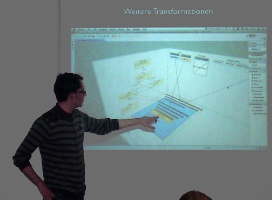
Nothing is impossible! Arc lines between connections in a GMF based editor have been implemented! For a variability editor it is an essential feature and I know from my diploma thesis that such features are really hard to achieve with GMF.
Xtext is a project presented since the early days of Eclipse DemoCamps and this time done by Peter Friese. There are some new features on the roadmap for the next 0.8 release.
Break: During the breaks we talked about what we have seen and raided the delicious buffet.
Despite the original order we’ve got the one and only double feature now — two presenters using two beamers. Joachim Hänsel and Jaroslav Svacina made us aware of EVOTest a framework for evolutionary testing. It uses optimization search algorithms for finding problematic input parameter.
(The second beamer was too dark for the picture.)
Do I have created a good model? How does it conform to the guidelines? Answers to such queries can give Metrino which has been presented by Marcus Engelhardt. There is also an adapter for the EMF validation framework so you could see the results in the problems view.
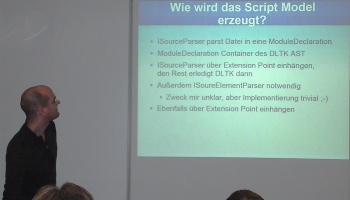
Matthias Köster created an IDE for Clojure and used the DLTK to do that. He showed us how easy it is to get fast results with the DLTK.
Break: Do I have said already that the food was delicious? Thanks to Tom for organizing the DemoCamp!
Stephan Herrmann showed ObjectTeams and a adapted version of EclipseLink to persist next to the objects the associated teams and roles.
I’m sorry, the is no picture available
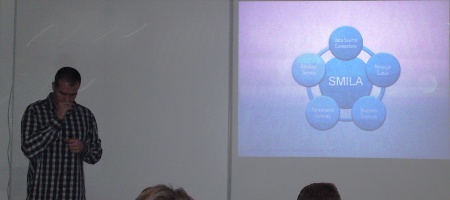
SMILA is system for extracting semantic information from arbitrary media. It e.g. extracts images from PDF files and makes them searchable. You can also search for similar images like with google! Presented by Igor Novakovic.
Now it was my turn to present emf.observables. It is my last project and generates IObservable wrapper classes for EMF model classes. The wrappers provide an easy and type save access to the EMFObservables hierarchies.
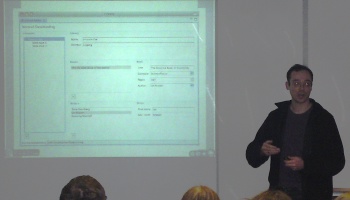
I have used “prezi” instead of some slide based software and presenting it was much fun. Creating a prezi is relative easy and intuitive but the software to do that is very feature-limited.
All in all it was a very nice evening where I have seen many interesting projects and talked to many interesting people during the breaks.
Many thanks to Lars for giving me a lift to Berlin and to Martin for the short stay.
Check also Jevopi’s blog with his retrospective!